
Post5 min read
The Best Blender Archviz Add-ons in 2026
Seven add-ons for modelling buildings in Blender, compared on what they do well and who they suit.
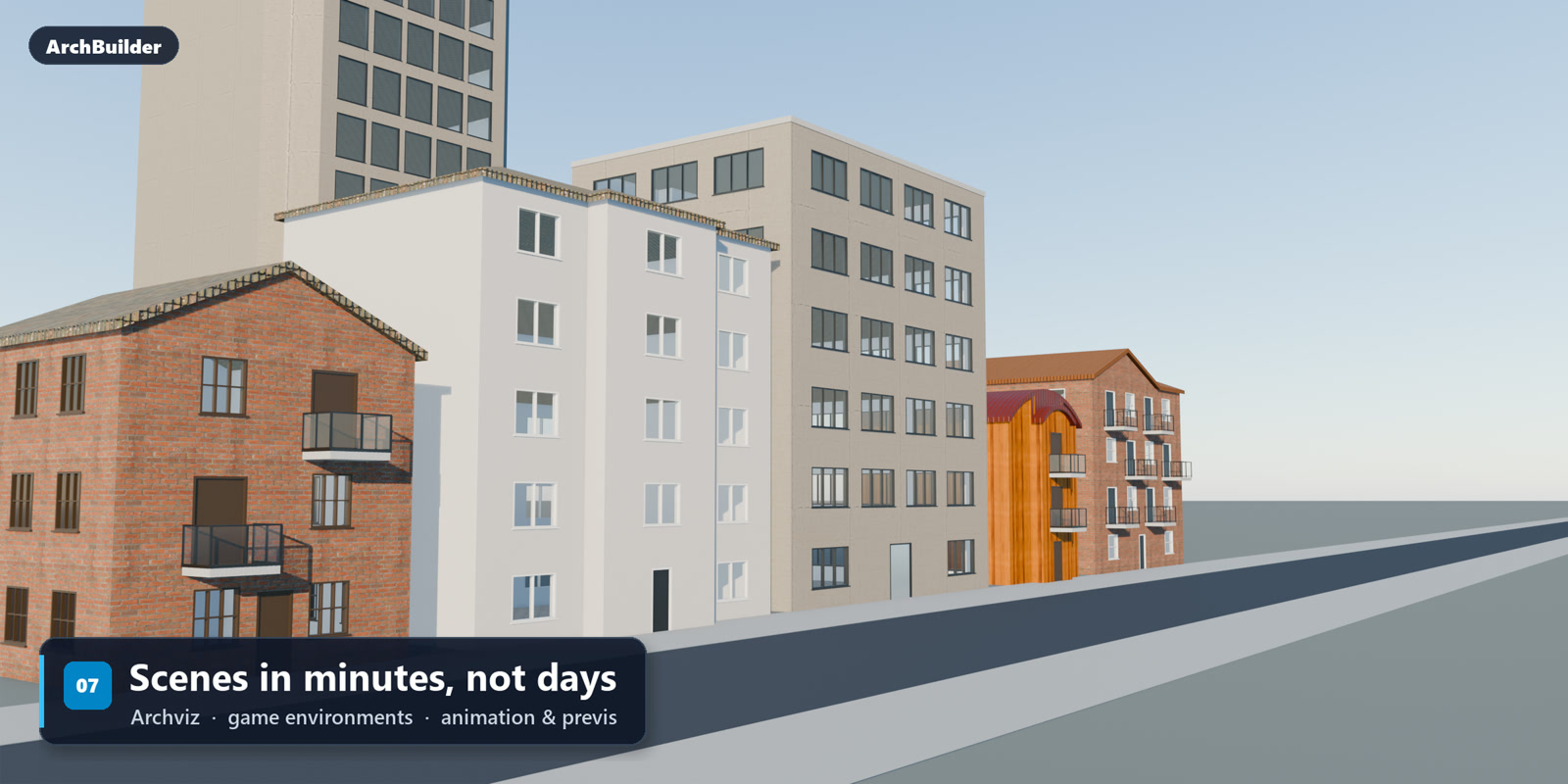
Blender can render a building beautifully, but it gives you very little help modelling one. Walls, window openings, stairs and roofs are all manual work unless you add a tool for them. These are the seven add-ons we think are worth knowing about.
A note before the list: we make ArchBuilder, and we have put it first. We have tried to describe the others fairly, including the cases where one of them is the better choice. Version support is as of October 2026, so check each project before you install.
At a glance
| Add-on | Best for | Keep in mind |
|---|---|---|
| ArchBuilder | Finished, textured buildings fast, exteriors and shells | Not a BIM tool |
| Archipack | Detailed parametric plans and 2D export | A lot of interface to learn |
| Bonsai | Real BIM work with IFC files | Steep learning curve |
| Home Builder | Kitchens, bathrooms and closets | Interiors only |
| Building Tools | Quick exteriors from a floor plan | No material library |
| Archimesh | Simple rooms, doors and windows | Has not grown in years |
| Buildify | Filling a city with background buildings | No individually placed openings |
1. ArchBuilder
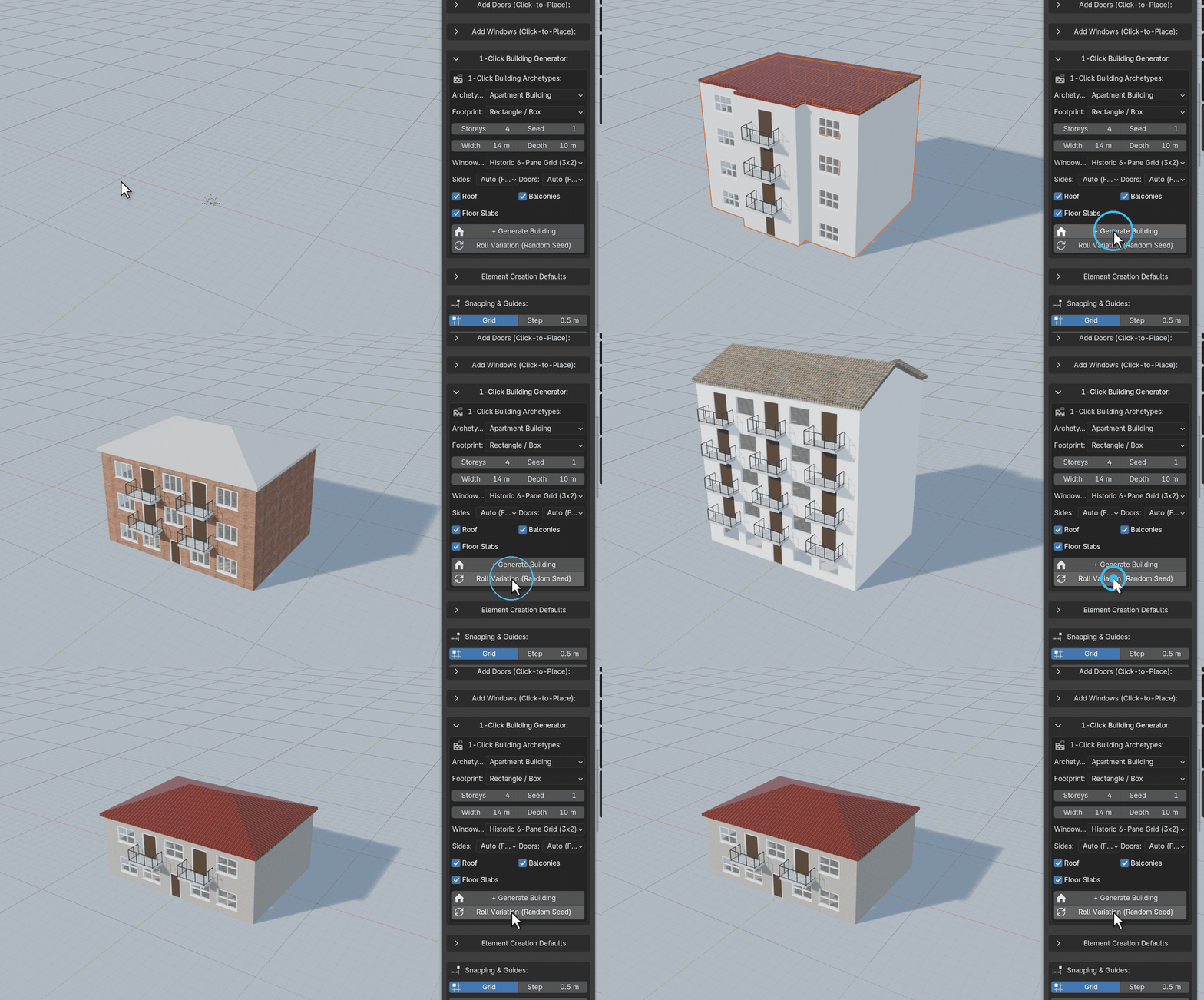
ArchBuilder starts from the result most archviz and environment work needs: a complete building you can keep editing. Pick a building type and a footprint, press Generate, and you get walls, floors, windows, doors, balconies and a roof. Roll Variation gives you a different one while keeping the settings you chose.
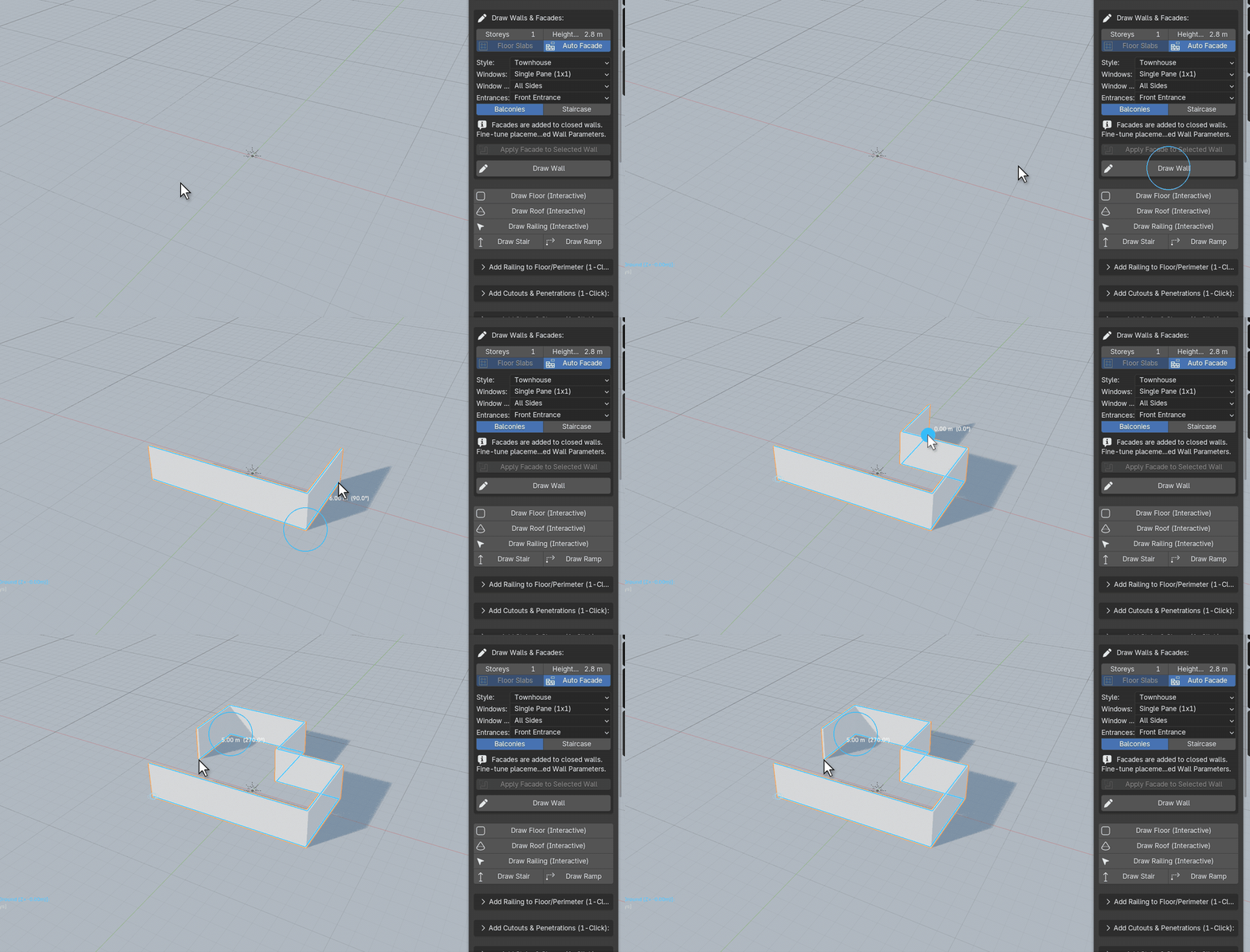
When you want your own design, you draw it. Click out the walls with live dimensions, add storeys with the arrow keys, and click on any wall to place doors, windows and balconies. Openings are cut cleanly, so there is no boolean cleanup.
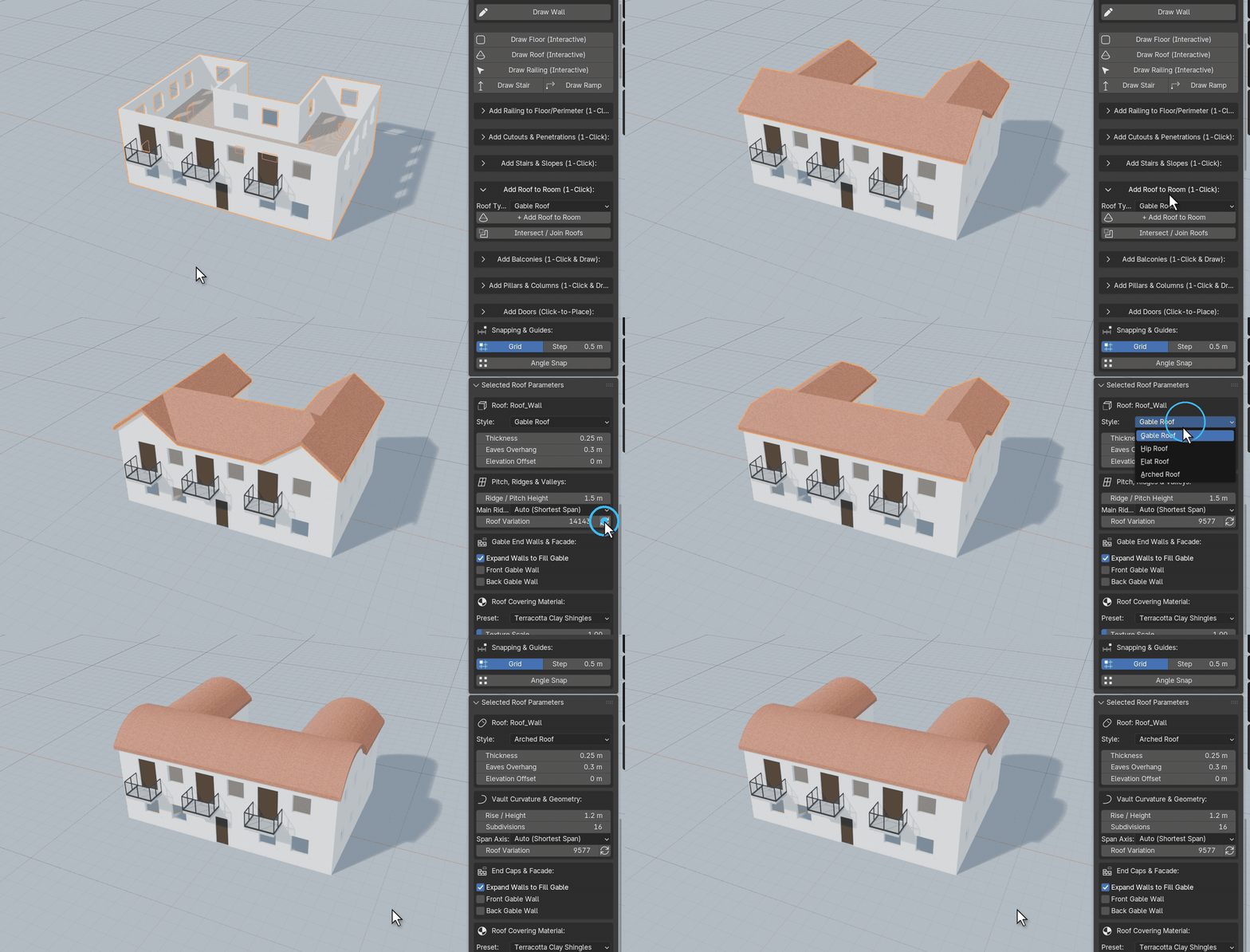
Roofs fit L, T and U shaped footprints, and there are stairs, ramps, railings, pillars and shaped cutouts.
What sets it apart from the rest of this list is that everything arrives textured. A built-in PBR library covers walls, roofs, frames, floors and railings, and it works in both Cycles and EEVEE. The building stays editable until you choose to bake it to a plain mesh for export.
Here is all of it in motion:
- Good at: going from nothing to a render-ready building in minutes, and making many varied buildings for a street.
- Not for: BIM data, IFC exchange or construction drawings. Use Bonsai for that.
- Price: $49 for the Indie license, $99 for Studio. Until 12 October 2026 they are on sale for $29 and $59.
- Works with: Blender 4.2 LTS and newer.
2. Archipack
Archipack is the long-standing parametric option. Walls, doors, windows, slabs, stairs, roofs, fences and floors are all objects with handles you drag in the viewport, and it can turn 2D drawings into 3D and export plans as SVG.
Version 1.2.8 covers the core objects. Version 2.x adds a kitchen generator, mouldings, blinds, beams, dimensions, custom wall and opening shapes, and 2D sections.
- Good at: precise, plan-driven modelling with a large set of parametric objects.
- Keep in mind: there is a lot of interface to learn, and you supply most of the materials yourself.
3. Bonsai
Bonsai, formerly the BlenderBIM Add-on, turns Blender into a native IFC authoring tool. It handles BIM attributes and relationships, 2D drawing generation, scheduling, costing and clash detection.
It is the only tool here built for exchanging models with engineers and contractors. It is also the least suited to quick visualisation, because everything you model is structured BIM data.
- Good at: professional OpenBIM workflows.
- Keep in mind: a steep learning curve, and current releases need a recent Blender 5.x.
4. Home Builder
Home Builder is for interiors. You draw rooms, then place cabinets and appliances that snap to walls and resize parametrically. It also produces elevations, floor plans and dimensioned sheets.
- Good at: kitchens, bathrooms and closets, and drawings for them.
- Keep in mind: it is not an exterior or whole-building tool, and version 5 needs Blender 5.
5. Building Tools
Building Tools works in Edit Mode. You create a floor plan, extrude floors, then select faces and turn them into doors, windows, balconies, stairs or a roof. It is quick and the meshes are light.
- Good at: fast exterior block-outs and low-poly buildings for games.
- Keep in mind: results are plain geometry with no material library, and the latest release targets Blender 4.0.
6. Archimesh
Archimesh used to ship with Blender and is now an extension. It generates rooms, doors, windows, stairs, shelves and a few furnishings from simple panels.
- Good at: learning the basics, and simple rooms without installing anything large.
- Keep in mind: it is community maintained with no support, the feature set has not grown in years, and some users report problems on Blender 5.
7. Buildify
Buildify is a Geometry Nodes setup that assembles buildings from a library of modular parts along any footprint. Paired with OpenStreetMap data it can fill a whole city.
- Good at: large numbers of background buildings, and custom styles if you model your own modules.
- Keep in mind: it is a node library, not a drawing tool, so there are no interiors or individually placed openings. It was released for Blender 3.2, so test it on your version first.
Which one should you pick?
- You want a good-looking building quickly, or a street of them: ArchBuilder.
- You work from precise plans and want 2D output: Archipack.
- You need IFC or work with other BIM tools: Bonsai.
- You are designing a kitchen or fitted interior: Home Builder.
- You want a light block-out tool: Building Tools, or Archimesh for simple rooms.
- You need a city in the background: Buildify.
These tools also combine well. A common setup is to build the hero buildings with one of the first two and fill the distance with Buildify.